LOGIN
HOME
CONTACT MDEX
HELP
CART
Agriculture
Antiques & Collectibles
Art
Automobiles
Baby Products
Beauty Care
Books
Business Services
Chemicals
Computers & Peripherals
Construction
Education & Training
Electricals & Electronics
Energy
Fashion
Floral & Gift
Food & Beverages
Furnitures
Green Technology
Hardware
Health & Medical Supplies
Home & Garden
Home Appliances
ICT Solutions & Services
Jewellery & Watches
Machinery
Malaysia Craft
Maritime
Musical Instruments
Packaging & Storage
Printers & Consumables
Property
Safety Equipment
Sewing & Craft
Sports & Equipment
Stationery
Telecommunications
Textiles
Toys & Hobbies
Transportation
Travel
Others
About us
Terms & Conditions
Printer Ink Catridges
Printer Toner Cartridges
HP (Hewlett Packard)
Canon
HP (Hewlett Packard)
Canon
JOIN US
PRODUCTS
COMMUNITY
MY TRADE
MARKETPLACE
ABOUT MDEX
Imagetech Marketing Sdn Bhd
Contact Supplier
Home
Printer Ink Catridges
Canon
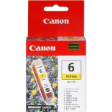
4708A004AC - Canon BCI-6Y Ink Cartridge Yellow
4708A004AC - Canon BCI-6Y Ink Cartridge Yellow
List Price :
RM34.90
Product Code : 4708A004AC
Product Category : Printer Consumables
Brand/Model : Canon
Unit of Measurements : 1/unit
Minimum Order Quantity : 1
Facebook
Twitter
Blogger
Print
Email
StumbleUpon
Description :
Technical Details
Color:
Yellow
Replacement ink tank for several Canon Bubble Jet and PIXMA printers
Bright yellow color
Easy to install
Produces vibrant color prints
Fast-drying and smudge-free
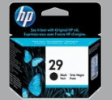
51629AA - HP Inkjet Cartridge 51629AA (29) Black
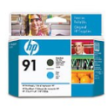
C9460A - HP Inkjet Cartridge C9460A (91) Matte Black/Cyan Printhead
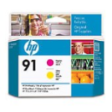
C9461A - HP Inkjet Cartridge C9461A (91) Magenta/Yellow Printhead
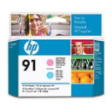
C9462A - HP Inkjet Cartridge C9462A (91) Light Magenta & Light Cyan Printhead
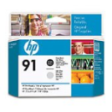
C9463A - HP Inkjet Cartridge C9463A (91) Photo Black & Light Grey Printhead
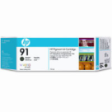
C9464A - HP Inkjet Cartridge C9464A (91) Matte Black 775ml
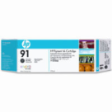
C9465A - HP Inkjet Cartridge C9465A (91) Photo Black 775ml
C9466A - HP Inkjet Cartridge C9466A (91) Light Grey 775ml
C9467A - HP Inkjet Cartridge C9467A (91) Cyan 775ml
C9468A - HP Inkjet Cartridge C9468A (91) Magenta 775ml
Sub Categories
Home
Privacy Statement
Sign In
Terms of Use Agreement
Contact
Order Cancellation Policy
Help
Return / Refund Policy
Customer Service
Marketplace Return Policy
Warranty
Complaint & Dispute
MDEX Learning Centre
Step 1 - Login to your seller account
Step 6 - Add product on your MDEX account
Step 2 - Change password
Step 7 - Edit product on your MDEX account
Step 3 - Create your company profile
Step 8 - Delete product on your MDEX account
Step 4 - Add your company logo, letterhead and stamp
Step 9 - Approve customers
Step 5 - Create product categories
Step 10 - Delete customers
(c) 2026 mdex.my All rights reserved


 (c) 2026 mdex.my All rights reserved