4 LOGIN
8 HOME 7 CONTACT MDEX 6 HELP 5
3 CART
About us
Terms & Conditions
JOIN US PRODUCTS COMMUNITY MY TRADE MARKETPLACE ABOUT MDEX
Imagetech Marketing Sdn Bhd
  Contact Supplier
 
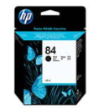
Home Printer Ink Catridges HP (Hewlett Packard) C5016A - HP Inkjet Cartridge C5016A (84) Black 69ML
 
C5016A - HP Inkjet Cartridge C5016A (84) Black 69ML


List Price : RM125.00
Product Code : C5016A
Product Category : Printer Consumables
Brand/Model : Hewlett packard
Unit of Measurements : 1/unit
Minimum Order Quantity : 1
   
 
Description :
Overview
 
82 year lightfastness when used with the HP 85 Inks and HP Premium Plus Photo and Proofing Gloss and semi-gloss media.¹
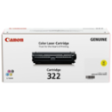

Produces high-quality images with up to 2,400 dpi and four-picoliter ink drop size.
Delivers smoother transitions and better color accuracy for photo-quality graphics and vibrant colors.
Built-in smart chips monitor ink supply and alert users when ink is low.
 
 
4709A004AC - Canon BCI-6PC Ink Cartridge Photo Cyan
4710A004AA - Canon BCI-6PM Ink Cartridge photo Magenta
8891A004AA - Canon BCI-6R Ink Cartridge Red
9473A004AA - Canon BCI-6G Ink Cartridge Green
1035B003AA - Canon PGI-9 CYAN Ink Cartridge
       
1036B003AA - Canon PGI-9 MAGENTA Ink Cartridge
1037B003AA - Canon PGI-9 YELLOW Ink Cartridge
1042B003AA - Canon PGI-9 GREY Ink Cartridge
1042B003AA - Canon PGI-9 GREEN Ink Cartridge
1040B003AA - Canon PGI-9 RED Ink Cartridge
 
Sub Categories
Home Privacy Statement
Sign In Terms of Use Agreement
Contact
Order Cancellation Policy
Help Return / Refund Policy
Customer Service Marketplace Return Policy
Warranty
Complaint & Dispute
 
MDEX Learning Centre
Step 1 - Login to your seller account Step 6 - Add product on your MDEX account
Step 2 - Change password Step 7 - Edit product on your MDEX account
Step 3 - Create your company profile Step 8 - Delete product on your MDEX account
Step 4 - Add your company logo, letterhead and stamp Step 9 - Approve customers
Step 5 - Create product categories Step 10 - Delete customers
 
       
(c) 2026 mdex.my All rights reserved