4 LOGIN
8 HOME 7 CONTACT MDEX 6 HELP 5
3 CART
About us
Terms & Conditions
JOIN US PRODUCTS COMMUNITY MY TRADE MARKETPLACE ABOUT MDEX
One Ten Souvernirs Sdn Bhd
  Contact Supplier
 
Home Miscellaneous Items 6 IN 1 HIGHLIGHTER PEN (CUSTOMIZE)
 
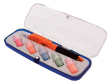
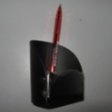
6 IN 1 HIGHLIGHTER PEN (CUSTOMIZE)


List Price : Contact Seller
Product Code : 6 IN 1 HP
Product Category : Office
Unit of Measurements : 1
Minimum Order Quantity : 1
 
 
Description :

Product Description


Product Category:MISCELLANEOUS ITEMS  
Sub Category:6 IN 1 Highlighter Pen (Customize)
Code No.:6 IN 1 Highlighter Pen 
Product Description:6 IN 1 Highlighter Pen 
Base Material:Plastic 
Colour:Orange,Green,Blue,Red,Yellow 
Packing Details:Each in a Box

 
PEN SET 15 - Flash Light Keychain, Name Card Case, Metal Ball Pen
PEN SET 17 - Name Case Card, Metal Ball Pen, Keychain
PEN SET 14 - Wooden Pewter Ball Pen, Leather Name Card, Wooden Keychain
PEN SET 21 - Metal Roller Pen (Acrylic), Leather Name Card
PEN SET 18 - Keychain, Metal Ball Pen
       
PEN SET 12 - Metal Roller Pen, Leather Keychain With Clock, Name Card Case
PEN SET 27 - Name Card Case, Leather Keychain, Metal Roller Pen
PEN SET 16
PEN SET 16
PEN SET 13 - Wooden Roller Pen, Wooden Ball Pen, Name Card Case
PEN SET 24 - Name Card Case, Metal Ball Pen 902
 
Sub Categories
Home Privacy Statement
Sign In Terms of Use Agreement
Contact
Order Cancellation Policy
Help Return / Refund Policy
Customer Service Marketplace Return Policy
Warranty
Complaint & Dispute
 
MDEX Learning Centre
Step 1 - Login to your seller account Step 6 - Add product on your MDEX account
Step 2 - Change password Step 7 - Edit product on your MDEX account
Step 3 - Create your company profile Step 8 - Delete product on your MDEX account
Step 4 - Add your company logo, letterhead and stamp Step 9 - Approve customers
Step 5 - Create product categories Step 10 - Delete customers
 
       
(c) 2026 mdex.my All rights reserved