4 LOGIN
8 HOME 7 CONTACT MDEX 6 HELP 5
3 CART
About us
Terms & Conditions
JOIN US PRODUCTS COMMUNITY MY TRADE MARKETPLACE ABOUT MDEX
General OA Sdn Bhd
  Contact Supplier
 
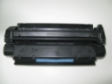
Home Auto Refill System Canon Cartridge 309 Compatible Laser Toner cartridge
 
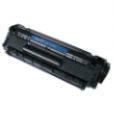
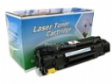
Canon Cartridge 309 Compatible Laser Toner cartridge

Canon Cartridge 309


List Price : RM210.00
Product Code : GOA Cartridge 309
Product Category : Printer Consumables
Unit of Measurements : 375 x 113 x 125 mm(W x D x H)
Minimum Order Quantity : 1
 
 
Description :

Product Description

Cartridge Model

Cartridge 309-GOA

OEM Model Reference

Canon Cartridge 309

Color

Black

Type

Compatible Cartridge


Cartridge Specifications

Approx. Page yield

12,000 pages based on 5% coverage,A4 Size

Toner contents

To Be Update


Dimensions/weight/warranty

Package dimensions

375 x 113 x 125 mm(W x D x H)

Package weight

1.0 kg

Warranty

Limited Warranty , Return to GOA


Other services that we provide

Refill only ( with your own cartridge )

 RM    90.00

Refill & Replace new  Drum + other parts ( with your own cartridge )

RM    155.00


Printer References

Canon LBP-3500

Canon LBP-3950

Canon LBP-3900

   This cartridge is compatible with others model

HP Q7516A      

 
Canon Cartridge 303 Compatible Laser Toner Cartridge
Canon Cartridge 308 Compatible Laser Toner Cartridge
Canon Cartridge 312 Compatible Laser Toner Cartridge
Canon Cartridge U Compatible Laser Toner Cartridge
Canon E31 Compatible Laser Toner Cartridge
 
Sub Categories
Home Privacy Statement
Sign In Terms of Use Agreement
Contact
Order Cancellation Policy
Help Return / Refund Policy
Customer Service Marketplace Return Policy
Warranty
Complaint & Dispute
 
MDEX Learning Centre
Step 1 - Login to your seller account Step 6 - Add product on your MDEX account
Step 2 - Change password Step 7 - Edit product on your MDEX account
Step 3 - Create your company profile Step 8 - Delete product on your MDEX account
Step 4 - Add your company logo, letterhead and stamp Step 9 - Approve customers
Step 5 - Create product categories Step 10 - Delete customers
 
       
(c) 2026 mdex.my All rights reserved