4 LOGIN
8 HOME 7 CONTACT MDEX 6 HELP 5
3 CART
About us
Terms & Conditions
JOIN US PRODUCTS COMMUNITY MY TRADE MARKETPLACE ABOUT MDEX
Gii Technology Sdn Bhd
  Contact Supplier
 
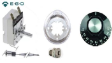
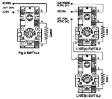
Home Thermostat EGO Thermostat ( 55.13022.010 )
 
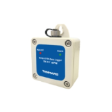
EGO Thermostat ( 55.13022.010 )


List Price : Contact Seller
List Price (Include GST) : RM0.00
Product Code : 55.13022.010
Product Category : Others
Brand/Model : EGO / 55.13022.010
Unit of Measurements : 1
Minimum Order Quantity : 1
 
 
Description :

Note : Pre-order item


EGO Thermostat ( 55.13022.010 )

Single Pole Control Thermostat 

Temperature range : 30~110°C
Contact : SPST
Sensing bulb size : Ø 6 x 77 mm
Capillary length : 870 mm
Gland nut : M9 x 1 + M12 stuffing box


Terms & Conditions :

 - The above picture is for illustration only

 - All the above descriptions are subject to change without notice

 - Goods sold are non returnable or refundable

 - Warranty : No

 - Subject to minimum order quantities


For enquiries, kindly contact us @

Tel : +6012 728 1063  

Email : enquiry@giitechnology.com

 
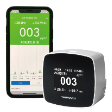
PM 2.5 Indoor Air Quality Monitor ( TM-280W )
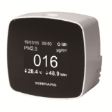
PM 2.5 Indoor Air Quality Monitor ( TM-280 )
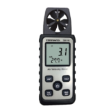
Anemometer ( TM-741 )
Temperature / Humidity / Datalogger ( TM-317 )
Hygrometer ( TM-731 )
       
Lux/FC Meter ( TM-721 )
UVAB Light Meter ( TM-223 )
Lux Meter ( TM-215 )
Solar Power Meter ( TM-751 )
Sound Level Meter ( TM-104 )
 
Sub Categories
Home Privacy Statement
Sign In Terms of Use Agreement
Contact
Order Cancellation Policy
Help Return / Refund Policy
Customer Service Marketplace Return Policy
Warranty
Complaint & Dispute
 
MDEX Learning Centre
Step 1 - Login to your seller account Step 6 - Add product on your MDEX account
Step 2 - Change password Step 7 - Edit product on your MDEX account
Step 3 - Create your company profile Step 8 - Delete product on your MDEX account
Step 4 - Add your company logo, letterhead and stamp Step 9 - Approve customers
Step 5 - Create product categories Step 10 - Delete customers
 
       
(c) 2026 mdex.my All rights reserved