4 LOGIN
8 HOME 7 CONTACT MDEX 6 HELP 5
3 CART
About us
Terms & Conditions
JOIN US PRODUCTS COMMUNITY MY TRADE MARKETPLACE ABOUT MDEX
Gii Technology Sdn Bhd

  Contact Supplier
 
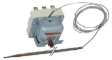
Home Thermostat EGO Thermostat ( 55.32582.802 )
 
EGO Thermostat ( 55.32582.802 )


List Price : Contact Seller
List Price (Include GST) : RM0.00
Product Code : 55.32582.802
Product Category : Others
Brand/Model : EGO / 55.32582.802
Unit of Measurements : 1 unit
Minimum Order Quantity : 1
 
 
Description :

Note : Pre-order item


3-Pole Hi-Limit Manual Reset Thermostat

P/N : 55.32582.802 
 

Specifications :

 Temperature Range : 420°C
 Contact : 3 X NC, 1 x NO
 Sensing Bulb Size : Ø4 x 308 mm
 Capillary Length : 900 mm


Remarks :  

  • The above picture is for illustration only
  • All the above descriptions are subject to change without prior notice
  • Goods sold are not refundable, returnable or exchangeable
  • Subject to minimum order quantities
  • Warranty : No


Contact us @

Tel : +6012 728 1063     


Email : enquiry@giitechnology.com

 
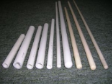
Alumina Tube, Close One End (OD12ID8L125)
Alumina Tube, Close One End (OD12ID8L610)
Alumina Tube, Close One End (OD12ID8L460)
Ceramic Tube, Close One End (OD10ID7L50)
Ceramic Tube, Close One End (OD10ID7L90)
       
Ceramic Tube, Close One End (OD12ID8L100)
Ceramic Tube, Close One End (OD12ID8L600)
Ceramic Tube, Close One End (OD17ID13L600)
Ceramic Connector (1-303-3)
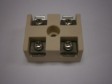
2 Pole Ceramic Terminal Block (MK35A)
 
Sub Categories
Home Privacy Statement
Sign In Terms of Use Agreement
Contact
Order Cancellation Policy
Help Return / Refund Policy
Customer Service Marketplace Return Policy
Warranty
Complaint & Dispute
 
MDEX Learning Centre
Step 1 - Login to your seller account Step 6 - Add product on your MDEX account
Step 2 - Change password Step 7 - Edit product on your MDEX account
Step 3 - Create your company profile Step 8 - Delete product on your MDEX account
Step 4 - Add your company logo, letterhead and stamp Step 9 - Approve customers
Step 5 - Create product categories Step 10 - Delete customers
 
       
(c) 2026 mdex.my All rights reserved