4 LOGIN
8 HOME 7 CONTACT MDEX 6 HELP 5
3 CART
About us
Terms & Conditions
JOIN US PRODUCTS COMMUNITY MY TRADE MARKETPLACE ABOUT MDEX
Gii Technology Sdn Bhd
  Contact Supplier
 
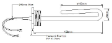
Home Heating Elements 1" BSP Screw-In Immersion Heater ( VW12 Series )
 
1" BSP Screw-In Immersion Heater ( VW12 Series )


List Price : Contact Seller
List Price (Include GST) : RM0.00
Product Code : VW12 Series
Product Category : Others
Unit of Measurements : 1 unit
Minimum Order Quantity : 1
 
 
Description :

Note : Pre-order item


Commercial Catering Heating Elements

1" BSP Screw-In Immersion Heater ( Incoloy 800 Sheath )

Ideal for water heating

Specifications :

Model Rating Immersion Length Type
VW120000 240 V, 2000 W 150 mm F/B ( Short )
VW120003 240 V, 2400 W 150 mm F/B ( Short )


Note :

All the above descriptions are subject to change without notice

Picture is for illustration only

Delivery : 3 to 5 days (in-stock unit) else 2 to 4 weeks (pre-order unit) subject to factory confirmation

Goods sold are non-returnable

Subject to minimum order quantities

Free Shipping Within Malaysia


Contact us @

Tel     : +6012 728 1063

Email : enquiry@giitechnology.com

 
Temperature / Humidity Datalogger (TM305U)
Milky White Quartz Tube (OD29ID22L505)
CAEM Safety Thermostat ( TU-V-RM )
CAEM Thermostat ( TU-V Series )
EGO Energy Regulators ( Simmerstats )
       
Ceramic Tube ( Open Both End )
Ceramic Tube ( Close One End )
Alumina Washer (OD15ID5T3)
Immersion Heating Elements ( GPIHE )
Heating Elements ( SF4077-WB025 )
 
Sub Categories
Home Privacy Statement
Sign In Terms of Use Agreement
Contact
Order Cancellation Policy
Help Return / Refund Policy
Customer Service Marketplace Return Policy
Warranty
Complaint & Dispute
 
MDEX Learning Centre
Step 1 - Login to your seller account Step 6 - Add product on your MDEX account
Step 2 - Change password Step 7 - Edit product on your MDEX account
Step 3 - Create your company profile Step 8 - Delete product on your MDEX account
Step 4 - Add your company logo, letterhead and stamp Step 9 - Approve customers
Step 5 - Create product categories Step 10 - Delete customers
 
       
(c) 2025 mdex.my All rights reserved