4 LOGIN
8 HOME 7 CONTACT MDEX 6 HELP 5
3 CART
About us
Terms & Conditions
JOIN US PRODUCTS COMMUNITY MY TRADE MARKETPLACE ABOUT MDEX
GOLDEN WELLNESS MARKETING (M) SDN BHD
  Contact Supplier
 
Home Medical Products Spirit CK-820 Heart Sound Simulator (W.M)
 
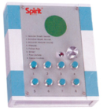
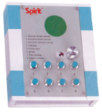
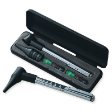
Spirit CK-820 Heart Sound Simulator (W.M)


List Price : RM16,800.00
Product Code : CK-820
Product Category : Hospital Equipment Supplies
Unit of Measurements : 1
Minimum Order Quantity : 1
 
 
Description :


Product Details

·         Designed especially for use by medical students in identifying the particulars of various heart conditions.

·         Features turnable volume control and eight different sounds, including vesicular breath sounds, bronchial breath sounds, bronchial vesicular sounds, wheezes, friction rub, strider, fine crackles, and coarse crackles.

·         Warranty:1 Year

 

Minimum Order Quantity : 1 Unit

Destination : West Malaysia

Delivery  : 10 – 14 Days


Omron Middle Size of Bladder (Rubber Bag) for HEM-907 (E.M)
Omron Adult Cuff for M3/SEM1/SEM2/IA2 (W.M)
Omron Adult Cuff for M3/SEM1/SEM2/IA2 (E.M)
Omron Small Cuff for M3/SEM1/SEM2/IA2 (W.M)
Omron Small Cuff for M3/SEM1/SEM2/IA2 (E.M)
       
Omron HEM-907 AC Adaptor (W.M)
Omron HEM-907 AC Adaptor (E.M)
Omron Large Cuff for M3/SEM1/SEM2/IA2 (W.M)
Omron Large Cuff for M3/SEM1/SEM2/IA2 (E.M)
Omron Fit Cuff for TF1/IA1B/HEM7080 (W.M)
 
Sub Categories
Home Privacy Statement
Sign In Terms of Use Agreement
Contact
Order Cancellation Policy
Help Return / Refund Policy

Customer Service Marketplace Return Policy
Warranty
Complaint & Dispute
 
MDEX Learning Centre
Step 1 - Login to your seller account Step 6 - Add product on your MDEX account
Step 2 - Change password Step 7 - Edit product on your MDEX account
Step 3 - Create your company profile Step 8 - Delete product on your MDEX account
Step 4 - Add your company logo, letterhead and stamp Step 9 - Approve customers
Step 5 - Create product categories Step 10 - Delete customers
 
       
(c) 2025 mdex.my All rights reserved