4 LOGIN
8 HOME 7 CONTACT MDEX 6 HELP 5
3 CART
About us
Terms & Conditions
JOIN US PRODUCTS COMMUNITY MY TRADE MARKETPLACE ABOUT MDEX
Edu-World Services Sdn Bhd
  Contact Supplier
 
Home Educational Institution Furniture Computer Furniture SLEEK CPU Trolley - Light Grey
 
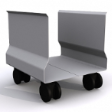
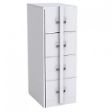
SLEEK CPU Trolley - Light Grey

Standalone CPU trolley to complement simple computer tables.


List Price : Contact Seller
Product Code : 105868-4301
Product Category : Office Furniture
Unit of Measurements : 1
Minimum Order Quantity : 5
 
 
Description :
Product information reflects the option selected above.
Product Code
105868-4301
Dimension and weight
Width 315 mm
Depth 350 mm
Height 380 mm
Weight 1.5 kg
Package Volume 0.046 m3
Container fill
20' (33.20 m3) container:
721 units
40' (67.60 m3) container:
1469 units
45' (86.00 m3) container:
1869 units
Miscellaneous
Minimum order: 5 unit(s)
 
Materials
Steel.
 
The SLEEK CPU Trolley offers an alternative to built-in CPU cabinets for your institution's computer tables.
 
Suitable for School Classrooms, Colleges and Universities, Training Centres, Libraries, Activity Centres and a variety of other applications.

 
thumb-1851 
 
PLASTO Basic Chair - Shell Black
PLASTO Basic Chair - Shell Blue
PLASTO Basic Chair - Shell Green
PLASTO Basic Chair - Shell Orange
PLASTO Basic Chair - Shell Red

       
PLASTO ChairDLX - Shell Black
EAZI Padded Chair DLX - PP Shell Black
PLASTO Bucket Chair PP Shell - Shell Blue
PLASTO Tablet Chair PP Shell Blue
PLASTO Chair PP Shell Black
 
Sub Categories
Home Privacy Statement
Sign In Terms of Use Agreement
Contact
Order Cancellation Policy
Help Return / Refund Policy
Customer Service Marketplace Return Policy
Warranty
Complaint & Dispute
 
MDEX Learning Centre
Step 1 - Login to your seller account Step 6 - Add product on your MDEX account
Step 2 - Change password Step 7 - Edit product on your MDEX account
Step 3 - Create your company profile Step 8 - Delete product on your MDEX account
Step 4 - Add your company logo, letterhead and stamp Step 9 - Approve customers
Step 5 - Create product categories Step 10 - Delete customers
 
       
(c) 2026 mdex.my All rights reserved