4 LOGIN
8 HOME 7 CONTACT MDEX 6 HELP 5
3 CART
About us
Terms & Conditions
JOIN US PRODUCTS COMMUNITY MY TRADE MARKETPLACE ABOUT MDEX
Funsportz Sdn Bhd
  Contact Supplier
 
Home GoPro Misc Accessories GoPro Replacement SD Wide Housing Sport Equipment
 
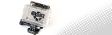
GoPro Replacement SD Wide Housing Sport Equipment

To order, kindly contact us at +6012-618 3939


List Price : RM189.00
Product Code : GQRH5170
Product Category : Sporting Equipment
Brand/Model : GoPro
Unit of Measurements : 1
Minimum Order Quantity : 1
 
 
Description :
   
 Replacement SD Wide HousingProduct Code: GQRH5170 
 RM189.00 
   
 Replacement quick-release housing for all STANDARD (non-wide) angle GoPro cameras.

Perfect for turning your Digital HERO 3 or Digital HERO 5 camera into a quick-release camera that is compatible with GoPro's line of quick-release mounting accessories. Mounts not included.

Waterproof to 100 ft/30 meters. **NOT** for use with newer, HD HERO cameras.

What's Included:  
  • 1 Shockproof/Waterproof Quick-Release Housing
  • 1 Horizontal Surface Quick-Release Buckle
  • Warranty: One Year
  
Specs:  

Construction: polycarbonate

Hardware: stainless steel

Lens: removable/replaceable glass housing lens (replaceable lens kit available soon)

Waterproof: rated up to 100 feet/30 meters

 
CamelBak Hydrolink Filter Adapter
CamelBak Camel Clip
CamelBak Camel Clip
Camelbak Tube Trap
Camelbak Tube Trap
CamelBak Tube Director
CamelBak Tube Extender
       
CamelBak Rain Cover bag
CamelBak .75L Insulated Bottle Sleeve
CamelBak Bottle Bite Valve with 2 Straws
CamelBak ELIXER Hydration Salts
K2 Marlee Jr Skate 2009
 
Sub Categories
Home Privacy Statement
Sign In Terms of Use Agreement
Contact
Order Cancellation Policy
Help Return / Refund Policy
Customer Service Marketplace Return Policy
Warranty
Complaint & Dispute
 
MDEX Learning Centre
Step 1 - Login to your seller account Step 6 - Add product on your MDEX account
Step 2 - Change password Step 7 - Edit product on your MDEX account
Step 3 - Create your company profile Step 8 - Delete product on your MDEX account
Step 4 - Add your company logo, letterhead and stamp Step 9 - Approve customers
Step 5 - Create product categories Step 10 - Delete customers
 
       
(c) 2026 mdex.my All rights reserved