4 LOGIN
8 HOME 7 CONTACT MDEX 6 HELP 5
3 CART
About us
Terms & Conditions
JOIN US PRODUCTS COMMUNITY MY TRADE MARKETPLACE ABOUT MDEX
To-Day global Network Sdn Bhd
  Contact Supplier
 
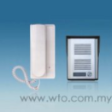
Home Alarm / Door Phone RL-2.4GHz Wireless Dual-Way Digital Door Phone RL-0510A
 
RL-2.4GHz Wireless Dual-Way Digital Door Phone RL-0510A


List Price : Contact Seller
Product Code : RL-0510A
Product Category : Home Electronics
Brand/Model : WTO
Unit of Measurements : 1
Minimum Order Quantity : 1
 
 
Description :
Features

• Working distance is around 150m and CE approval.
• Wireless dual-way intercommunication between indoor unit and outdoor unit .
• Digital transmission promises clear voice ,anti-interference and private talking.
• Adjustable volume of melodies.
• Watetproof(IP44) DC power outdoor unit .
• Raincover for the outdoor unit is available.
• Energy-saving technique.There is no power consumption in standby status;the power will be stopped automatically 30 seconds after no answer when someone presses the button .
• Advanced code technique,anti-interference.
• Working status indication.
• Stick the outdoor unit with double-side adhesive tape.
• Load 3xLR6 batteries and they can work for around one year.Remove the aluminum alloyed panel for battery replacement.

 
Pentel Correction Pen ZL72-W
Pentel Correction Pen ZLC21-W
Pentel Correction Pen ZLC31-W
Correction Tape MF0607A
Correction Fluid
Correction Fluid
       
Stabilo Highlighter
Stabilo Highlighter
Stabilo Highlighter Pen
Stabilo Swing Cool Highlighter
Toyo Highlighter
Toyo Highlighter
Highlighter
Highlighter
 
Sub Categories
Home Privacy Statement
Sign In Terms of Use Agreement
Contact
Order Cancellation Policy
Help Return / Refund Policy
Customer Service Marketplace Return Policy
Warranty
Complaint & Dispute
 
MDEX Learning Centre
Step 1 - Login to your seller account Step 6 - Add product on your MDEX account
Step 2 - Change password Step 7 - Edit product on your MDEX account
Step 3 - Create your company profile Step 8 - Delete product on your MDEX account
Step 4 - Add your company logo, letterhead and stamp Step 9 - Approve customers
Step 5 - Create product categories Step 10 - Delete customers
 
       
(c) 2026 mdex.my All rights reserved