4 LOGIN
8 HOME 7 CONTACT MDEX 6 HELP 5
3 CART
About us
Terms & Conditions
JOIN US PRODUCTS COMMUNITY MY TRADE MARKETPLACE ABOUT MDEX
Ria-Two Sdn Bhd
  Contact Supplier
 
Home 02 - IT and Machines Computer Accessories Computer Accessories - HP Optical Mouse
 
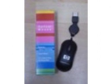
Computer Accessories - HP Optical Mouse


List Price : Contact Seller
Product Code : #?HP-001
Product Category : Office
Brand/Model : Hp
Unit of Measurements : 1
Minimum Order Quantity : 1
 
 
Description :
Featuring advanced laser technology, the?HP Optical Mouse?Laser works reliably on most types of surfaces and offers much higher tracking power than regular optical mice. Sensitivity adjustment to 1600 and 800 dpi resolution. Suitable for both hands.
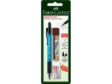
 
Design and Drawing Outfits - Digimon Crayon 12-colours
Design and Drawing Outfits - Faber-Castel Watercolour Pencils
Design and Drawing Outfits - Stabilo Swans Coloured Pencils
Design and Drawing Outfits - Cutter 211 Knife
Design and Drawing Outfits - Dbest Cutter Knife(small)
       
Design and Drawing Outfits - Penmark Scissors Stainless Steel
Ribbons and Rollers - Epson C13S015262
Ribbons and Rollers - FULLMARK EPSON RIBBON ERC-34
Fax Catridge - BROTHER LC800B INKJET FAX CARTRIDGE - BLACK
Fax Catridge - For Canon 3320F/3340F/B310/B320/B360/B400. Supply lasts for 700 pages.
 
Sub Categories
Home Privacy Statement
Sign In Terms of Use Agreement
Contact
Order Cancellation Policy
Help Return / Refund Policy
Customer Service Marketplace Return Policy
Warranty
Complaint & Dispute
 
MDEX Learning Centre
Step 1 - Login to your seller account Step 6 - Add product on your MDEX account
Step 2 - Change password Step 7 - Edit product on your MDEX account
Step 3 - Create your company profile Step 8 - Delete product on your MDEX account
Step 4 - Add your company logo, letterhead and stamp Step 9 - Approve customers
Step 5 - Create product categories Step 10 - Delete customers
 
       
(c) 2025 mdex.my All rights reserved