4 LOGIN
8 HOME 7 CONTACT MDEX 6 HELP 5
3 CART
About us
Terms & Conditions
JOIN US PRODUCTS COMMUNITY MY TRADE MARKETPLACE ABOUT MDEX
To-Day global Network Sdn Bhd
  Contact Supplier
 
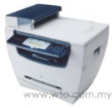
Home Telecommunications Fax Machine/Printer/ Scanner Canon All In One Uncompromising Solution MF5630
 
Canon All In One Uncompromising Solution MF5630


List Price : Contact Seller
Product Code : MF5630
Product Category : Home Electronics
Brand/Model : Canon
Unit of Measurements : 1
Minimum Order Quantity : 1
 
 
Description :

Features

• Built-in cold cathode UV-C lamp helps to kill germs and bacteria;
• The replacement-free complex nano photocatalyst filter being activated by the irradiation of UV light, is very effective for sterilization and deodorization;
• Built-in fan draws the polluted air into the unit, sterilizes, then blows the cleaned air to each corner in the car evenly;
• Easy to use: plug into the cigarette lighter socket and switch on;
• Swivels to allow perfect positioning.

 
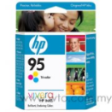
HP Tri-Color Inkjet Print Cartridge C-8766WN (HP 95)
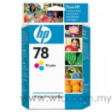
HP Tri-Color Inkjet Print Cartridge C-5678DN (HP 78)
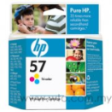
HP Tri-Color Inkjet Print Cartridge C-6657AN (HP 57)
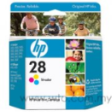
HP Tri-Color Inkjet Print Cartridge C-8728AN (HP 28)
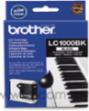
Brother Black Ink Cartridge LC-57B
       
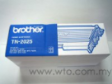
Brother Original Black Toner Cartridge TN-2025
Brother Cyan Ink Cartridge LC-57C
Brother Magenta Ink Cartridge LC-57M
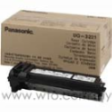
Panasonic Black Laser Toner Cartridge UG-3221
Panasonic Laser Toner Drum UG-3220
 
Sub Categories
Home Privacy Statement
Sign In Terms of Use Agreement
Contact
Order Cancellation Policy
Help Return / Refund Policy
Customer Service Marketplace Return Policy
Warranty
Complaint & Dispute
 
MDEX Learning Centre
Step 1 - Login to your seller account Step 6 - Add product on your MDEX account
Step 2 - Change password Step 7 - Edit product on your MDEX account
Step 3 - Create your company profile Step 8 - Delete product on your MDEX account
Step 4 - Add your company logo, letterhead and stamp Step 9 - Approve customers
Step 5 - Create product categories Step 10 - Delete customers
 
       
(c) 2026 mdex.my All rights reserved