4 LOGIN
8 HOME 7 CONTACT MDEX 6 HELP 5
3 CART
About us
Terms & Conditions
JOIN US PRODUCTS COMMUNITY MY TRADE MARKETPLACE ABOUT MDEX
To-Day global Network Sdn Bhd
  Contact Supplier
 
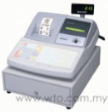
Home Office Automation Cash Register Sharp Electronic Cash Register XE-A213
 
Sharp Electronic Cash Register XE-A213


List Price : Contact Seller
Product Code : XE-A213
Product Category : Home Electronics
Brand/Model : Panasonic
Unit of Measurements : 1
Minimum Order Quantity : 1
 
 
Description :
Features

FOC 1 Bag
• Keyboard Type- Flat, Number of keys: standard 119 keys
• Display- monochrome LCD with backlight(operator), large 70gigit, 7-segment LED,pop-up type(customer)
• Printer speed- approx 12 lines/sec
• Drawer-5 bill compartments, 8 coin compartments
• Drop- in paper loading makes exchanging paper rolls quick ans easy
• 99 pre-programmed department
• Electronicjournal stores transaction datain memory to save paper

 
Sign Holder S-4010
Sign Holder S-4010
Panasonic Single Line Phone KX-TS500ML
Panasonic Single Line Phone KX-TS520ML
Panasonic Single Line Phone (White) KX-TS550ML
Panasonic Single Line Phone KX-TS560ML
       
Panasonic Corded Phone KX-TS580ML
Panasonic Integrated Telephone System KX-TS600ML
Panasonic Single Line Phone KX-T2371ML
Panasonic Single Line Speaker Phone With LCD Monitor KX-T2375ML
Panasonic Dect Phone With 4 Colours KX-TG1311ML
 
Sub Categories
Home Privacy Statement
Sign In Terms of Use Agreement
Contact
Order Cancellation Policy
Help Return / Refund Policy
Customer Service Marketplace Return Policy
Warranty
Complaint & Dispute
 
MDEX Learning Centre
Step 1 - Login to your seller account Step 6 - Add product on your MDEX account
Step 2 - Change password Step 7 - Edit product on your MDEX account
Step 3 - Create your company profile Step 8 - Delete product on your MDEX account
Step 4 - Add your company logo, letterhead and stamp Step 9 - Approve customers
Step 5 - Create product categories Step 10 - Delete customers
 
       
(c) 2026 mdex.my All rights reserved