4 LOGIN
8 HOME 7 CONTACT MDEX 6 HELP 5
3 CART
About us
Terms & Conditions
JOIN US PRODUCTS COMMUNITY MY TRADE MARKETPLACE ABOUT MDEX
To-Day global Network Sdn Bhd
  Contact Supplier
 
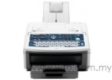
Home Panasonic Office Automation Fax Machine/ Printer/ Scanner Panasonic Business 3 In 1 Laser Printer KX-MB1900
 
Panasonic Business 3 In 1 Laser Printer KX-MB1900


List Price : Contact Seller
Product Code : KX-MB1900
Product Category : Telephones & Facsimile
Brand/Model : Panasonic
Unit of Measurements : 1
Minimum Order Quantity : 1
 
 
Description :

Features Overview

  • All-in-one (printer/scanner/copier)
  • Print Speed: 24 ppm (black A4)
  • Print Resolution: 600x600 dpi
  • Input Feed Capacity: 250 pages (standart)
  • Monthly Duty Cycle: 10000
  • Media Types: Plain Paper, Cards, Transparencies, Stickers, Glossy Photo Paper, Envelopes, Matte Photo Paper.
  • Cartridge Capacity (Black): 2000 pages
  • Zoom Range: 25-400 %
  • OS Support: Windows
 
Mountain Wireless Intercom MFD-10AM
Video Door Phone
Video Door Phone
Video Door Phone 926-E2
Video Telephone DY-2000
Video Telephone DY-2006
       
Dacama Boss & Secretary Display Key Telephone System HB-208
Dacama Keyphone System VB-9
NEC Keyphone System Aspila Topaz
Takawachi PABX Telephone System WIT-3000
Football Phone KXT-208
 
Sub Categories
Home Privacy Statement
Sign In Terms of Use Agreement
Contact
Order Cancellation Policy
Help Return / Refund Policy
Customer Service Marketplace Return Policy
Warranty
Complaint & Dispute
 
MDEX Learning Centre
Step 1 - Login to your seller account Step 6 - Add product on your MDEX account
Step 2 - Change password Step 7 - Edit product on your MDEX account
Step 3 - Create your company profile Step 8 - Delete product on your MDEX account
Step 4 - Add your company logo, letterhead and stamp Step 9 - Approve customers
Step 5 - Create product categories Step 10 - Delete customers
 
       
(c) 2025 mdex.my All rights reserved