4 LOGIN
8 HOME 7 CONTACT MDEX 6 HELP 5
3 CART
About us
Terms & Conditions
JOIN US PRODUCTS COMMUNITY MY TRADE MARKETPLACE ABOUT MDEX
Baby Care
  Contact Supplier
 
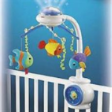
Home 21 - Development toys FISHER PRICE Ocean Wonders Projection Mobile
 
FISHER PRICE Ocean Wonders Projection Mobile


List Price : RM249.90
Product Code : Projection Mobile
Product Category : Baby Gear
Brand/Model : FISHER PRICE
Unit of Measurements : 1 Unit
Minimum Order Quantity : 1
 
 
Description :

The Ocean Wonders Mobile with Remote Control bathes the entire nursery in a calming environment of underwater soft lights and sounds. The mobile projects moving lights throughout the room. Parents can select from one of 5 selections to play (lullabies and underwater sounds) as the three plush fish characters swim around above.

The base has a soft clear front containing water with fish and glitter that swoosh around when the bowl is pressed.

Handy remote control means parents can activate everything without disturbing a sleeping baby. The "grow with me" mode allows you to place the mobile on the dresser when the crib years are over, where it will continue to soothe toddlers. Requires 2 "AA" and 4 "D" alkaline batteries, not included.

Recommended Age: Birth and up

 
BUMBLE BEE Pillow & Bolster Set
BUMBLE BEE Pillow Case L
BUMBLE BEE Pillow Case M
BUMBLE BEE Pillow Case S
BUMBLE BEE Pillow Size S
       
BUMBLE BEE Poly Fiber Playpen Matress
BUMBLE BEE Thermal Blanket
BUMBLE BEE Waterproof Bedpad
MY DEAR Foldable Playpen Matress
SAFE n SOUND Baby Safety Pillow 14
SAFE n SOUND Baby Safety Pillow 14" x 10" x 1"
 
Sub Categories
Home Privacy Statement
Sign In Terms of Use Agreement
Contact
Order Cancellation Policy
Help Return / Refund Policy
Customer Service Marketplace Return Policy
Warranty
Complaint & Dispute
 
MDEX Learning Centre
Step 1 - Login to your seller account Step 6 - Add product on your MDEX account
Step 2 - Change password Step 7 - Edit product on your MDEX account
Step 3 - Create your company profile Step 8 - Delete product on your MDEX account
Step 4 - Add your company logo, letterhead and stamp Step 9 - Approve customers
Step 5 - Create product categories Step 10 - Delete customers
 
       
(c) 2026 mdex.my All rights reserved