4 LOGIN
8 HOME 7 CONTACT MDEX 6 HELP 5
3 CART
About us
Terms & Conditions
JOIN US PRODUCTS COMMUNITY MY TRADE MARKETPLACE ABOUT MDEX
Baby Care
  Contact Supplier
 
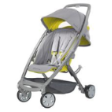
Home 14 - Strollers And Travel Systems QUINNY Senzz Spring 2010
 
QUINNY Senzz Spring 2010


List Price : RM1,999.00
Product Code : Senzz Spring
Product Category : Baby Gear
Brand/Model : QUINNY
Unit of Measurements : 1 Unit
Minimum Order Quantity : 1
 
 
Description :

Product Features :

  • One hand folding
  • Flat, one-piece fold and upright standing when folded for easy storage on the go and at home
  • Firm and rigid backrest structure with comfort padding for optimal support of the child's back
  • Comfortably padded seat reclines to suit newborns.
  • Unlike a regular buggy, the Quinny Senzz can be used from day one with an infant car seat by Maxi-Cosi
 
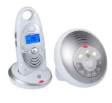
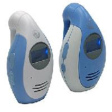
MOTOROLA Digital Baby Monitor - 1 Way (MBP10)
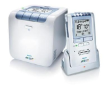
PHILIPS AVENT DECT Baby Monitor SCD530
ASOGO Mobile Baby Phone
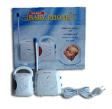
MY DEAR 2.4Hz Digital Baby Monitor
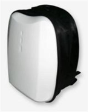
SIMPLE DIMPLE Shield Diaper Bag Back Pack White
       
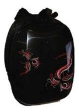
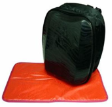
SIMPLE DIMPLE Diaper Bag Back Pack With Motives Black
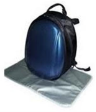
SIMPLE DIMPLE Oval Shiled Diaper Bag Blue
SIMPLE DIMPLE Shield Back Pack With Stripes Black
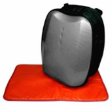
SIMPLE DIMPLE Shield Back Pack With Stripes Grey
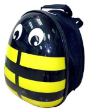
SIMPLE DIMPLE Shield Bug Diaper Bag Yellow Bee
 
Sub Categories
Home Privacy Statement
Sign In Terms of Use Agreement
Contact
Order Cancellation Policy
Help Return / Refund Policy
Customer Service Marketplace Return Policy
Warranty
Complaint & Dispute
 
MDEX Learning Centre
Step 1 - Login to your seller account Step 6 - Add product on your MDEX account
Step 2 - Change password Step 7 - Edit product on your MDEX account
Step 3 - Create your company profile Step 8 - Delete product on your MDEX account
Step 4 - Add your company logo, letterhead and stamp Step 9 - Approve customers
Step 5 - Create product categories Step 10 - Delete customers
 
       
(c) 2026 mdex.my All rights reserved