4 LOGIN
8 HOME 7 CONTACT MDEX 6 HELP 5
3 CART
About us
Terms & Conditions
JOIN US PRODUCTS COMMUNITY MY TRADE MARKETPLACE ABOUT MDEX
Baby Care
  Contact Supplier
 
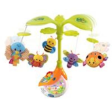
Home 07 - Baby Care Nursery Accessories VTECH Sing and Soothe Mobile
 
VTECH Sing and Soothe Mobile


List Price : RM199.90
Product Code : Soothe Mobile
Product Category : Baby Gear
Brand/Model : VTECH
Unit of Measurements : 1 Unit
Minimum Order Quantity : 1
 
 
Description :
This magical mobile, with gently spinning leaves, soft plush dangling animals and soft glowing night-light, helps soothe baby off to sleep. Featuring 3 different modes of play with 20 melodies, 20 lullabies, 4 sung-songs and soothing nature sounds.

There is also a timer that can be set to 10, 15 or 20 minutes to suit baby’s sleep patterns. A sound sensor will detect if baby wakes and trigger the gentle melodies to help soothe baby.

Recommended Age: Birth and up
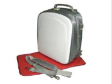
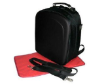
 
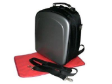
SNOW BEAR Bottle Sterilizer
SNOW BEAR 2 in 1 Car & Home Warmer
BABYWISE Anti-Electromagnetic Radiation Wave Maternity Vest (Pink)
Babywise Anti-Electromagnetic Radiation Wave Maternity Vest (Grey)
AUTUMNZ Glam Long Sleeve Coral
       
AUTUMNZ Amaya Short Sleeve Tunic Black
AUTUMNZ Florentine Short Sleeve Olive
Autumnz - DAHLIA T-Shirt Nursing Bra (No Underwire)
AUTUMNZ Belly Band
AUTUMNZ Belly Band
AUZUMNZ OLIVIA Padded Nursing/Maternity Bra
 
Sub Categories
Home Privacy Statement
Sign In Terms of Use Agreement
Contact
Order Cancellation Policy
Help Return / Refund Policy
Customer Service Marketplace Return Policy
Warranty
Complaint & Dispute
 
MDEX Learning Centre
Step 1 - Login to your seller account Step 6 - Add product on your MDEX account
Step 2 - Change password Step 7 - Edit product on your MDEX account
Step 3 - Create your company profile Step 8 - Delete product on your MDEX account
Step 4 - Add your company logo, letterhead and stamp Step 9 - Approve customers
Step 5 - Create product categories Step 10 - Delete customers
 
       
(c) 2026 mdex.my All rights reserved